Reading the demo flow
Three flows, what each one is responsible for, and how to import them into another instance.
You have now changed a value and heard a call change. The flow that answered you is one contact flow and two flow modules, and the first thing worth noticing is what is missing from them.
Opening them yourself
Everything up to here has been the CX Portal. Amazon Connect is a different console with separate access: a CX Portal login does not get you in. You can raise a case to ask for it, or skip to the next heading and read along. You will not be blocked from any later module.
-
Open pronetx-demo-experience.my.connect.aws and sign in. That is the demo instance’s Connect access URL.
-
In Connect, go to Routing, then Flows. Search for
DFC Demo V1. -
Open DFC Demo V1 - Inbound.
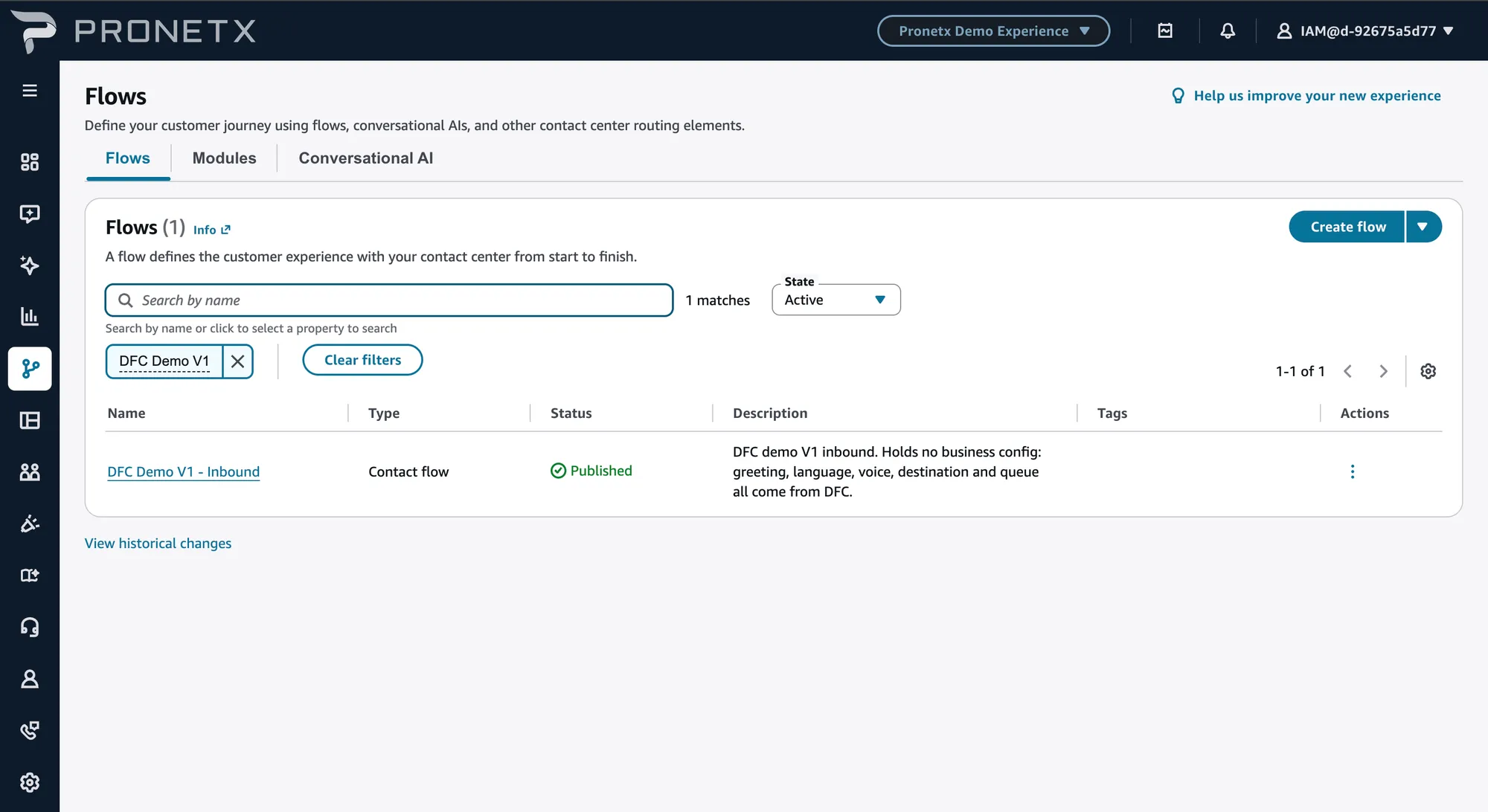
Filtering for DFC Demo V1 returns one result, not three. The two modules are on the
Modules tab next to Flows on the same page. That catches most people the first time: the
inbound flow calls two things that look like they do not exist.
| Name | Tab |
|---|---|
| DFC Demo V1 - Inbound | Flows |
| DFC Demo V1 - Inbound Lookup | Modules |
| DFC Demo V1 - Language Selection | Modules |
The flow holds no business knowledge
Walk its blocks. No Play prompt contains a sentence. No Set working queue names a queue. Nothing lists a language. There is no AWS Lambda function block on that screen at all.
Inbound flow
Calls two modules, then branches on what they put in contact attributes. Owns the caller-facing decisions: refuse, play, route, transfer.
Inbound Lookup module
Works out which entry point this contact arrived on, asks DFC for it, and stashes the answer in contact attributes.
Language Selection module
Offers the language menu when the experience allows it, then asks DFC for the chosen language’s voice and prompts.
One Lambda call lives in each module, and that is the total for the whole demo. An English call makes two lookups; a line with language selection switched off makes one.
A flow module is a reusable piece of flow. Any flow needs the lookup — inbound, transfer, callback, disconnect — but only a caller-facing voice flow needs a language menu. Splitting them means a new flow can invoke just the first.
Data crosses the module boundary as contact attributes only
This is the constraint that shapes both modules. A Lambda called inside a module is invisible to the flow that invoked it: the external namespace does not cross the boundary. Attributes are the only way in or out.
That is why each module ends by copying what it resolved into contact attributes, and why the
inbound flow branches on $.Attributes.something and never on the external namespace.
Even within one flow, the external namespace holds only the most recent Lambda response. The language lookup would wipe the contact source lookup if the first module had not already stashed what it needed. Copy out what you need before the next call, every time.
The three flows are downloadable from Setting up your own instance, along with what has to change before they run somewhere else.