Change a prompt and hear it
Edit one field in the portal, call the line again, and hear the difference. The whole argument for DFC, in five minutes.
You know what the line says and how the parts fit together. Before learning any more, change something and hear it, because that is the entire case for DFC and it takes about five minutes.
Change the welcome
-
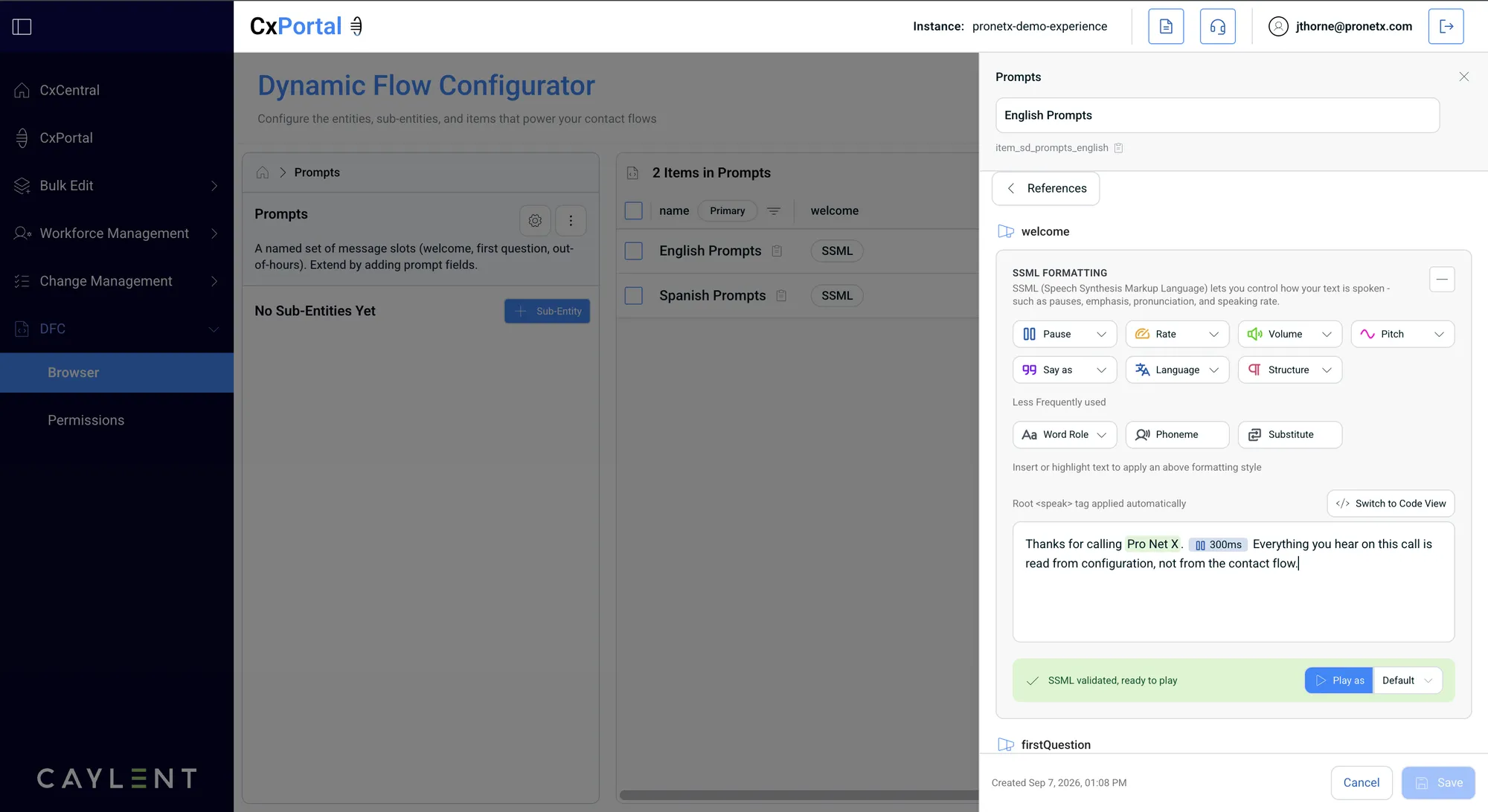
In DFC, open Prompts and pick the English prompt set the demo line uses.
-
Edit the
welcomefield. Add a word that you will notice, somewhere in the middle of the sentence. You are typing into a formatted editor rather than raw markup: the root<speak>tag is applied for you, and the chips in the text are SSML that someone inserted with the buttons above. Switch to Code View if you would rather see the markup. -
Check it reads SSML validated, ready to play, then use Play as to hear it before anyone else does. Save.
-
Call +1 877 512 9713 again.
You hear your word. No flow was opened, nothing was published, and no one deployed anything.
What just happened
Nothing about the contact flow changed. The flow asked DFC the same question it always asks, and DFC gave it a different answer, so the caller heard something different. That is the whole idea, and every later module is a variation on it.
This is a shared demo line, so restore the original wording before you move on. If you left it mid-sentence you will confuse the next person, and the workshop host will have to reset it.
The editor validates the markup and will play it back to you, which is the cheapest way to catch a mistake. It is worth doing, because a prompt the voice engine cannot speak plays as silence on the call rather than raising an error, so a broken one is easy to miss until someone rings in.